‘Sign In’ to the 4G Clinical Help Center to View my Tickets
No need to search through emails anymore, all your tickets are available in one convenient place.
Feel free to submit a new request to our Client Excellence team, or check and update your existing tickets anytime through our 4G Clinical Help Center.
Setting up your 4G Clinical Help Center Account
The 4G Clinical Help Center will allow you to view your study support tickets and add comments.
If you are new to the 4G Clinical Help Center, you will select the ‘Sign In’ button on the top right hand corner of the support page.
You will then have two options to choose from:
Select ‘Sign up’ at the bottom of the sign in pop-up to create your account for the 4G Clinical Help Center. Once completed you can submit your first ticket with our Client Excellence team. Please fill out the ‘Sign up form’ presented and we'll send you a welcome email so you can verify your email address and sign in.
To Sign Up - Enter your full name, and the email address that you use to sign into the IRT, and then select ‘Sign Up’
You will then receive a welcome email to verify your account and sign in into the 4G Clinical Help Center.
Have you already received an email from our Client Excellence team with a ticket number? Select 'Get a Password' to receive an email with further instructions.
Returning to 4G Clinical Help Center
If you already have a 4G Clinical Help Center account created, you will select the ‘Sign In’ button on the top right hand corner of the support page.
Enter your email and password and then click ‘Sign In’.
Please Note: Your 4G Clinical Help Center password may be different than the password that you use to sign into the IRT.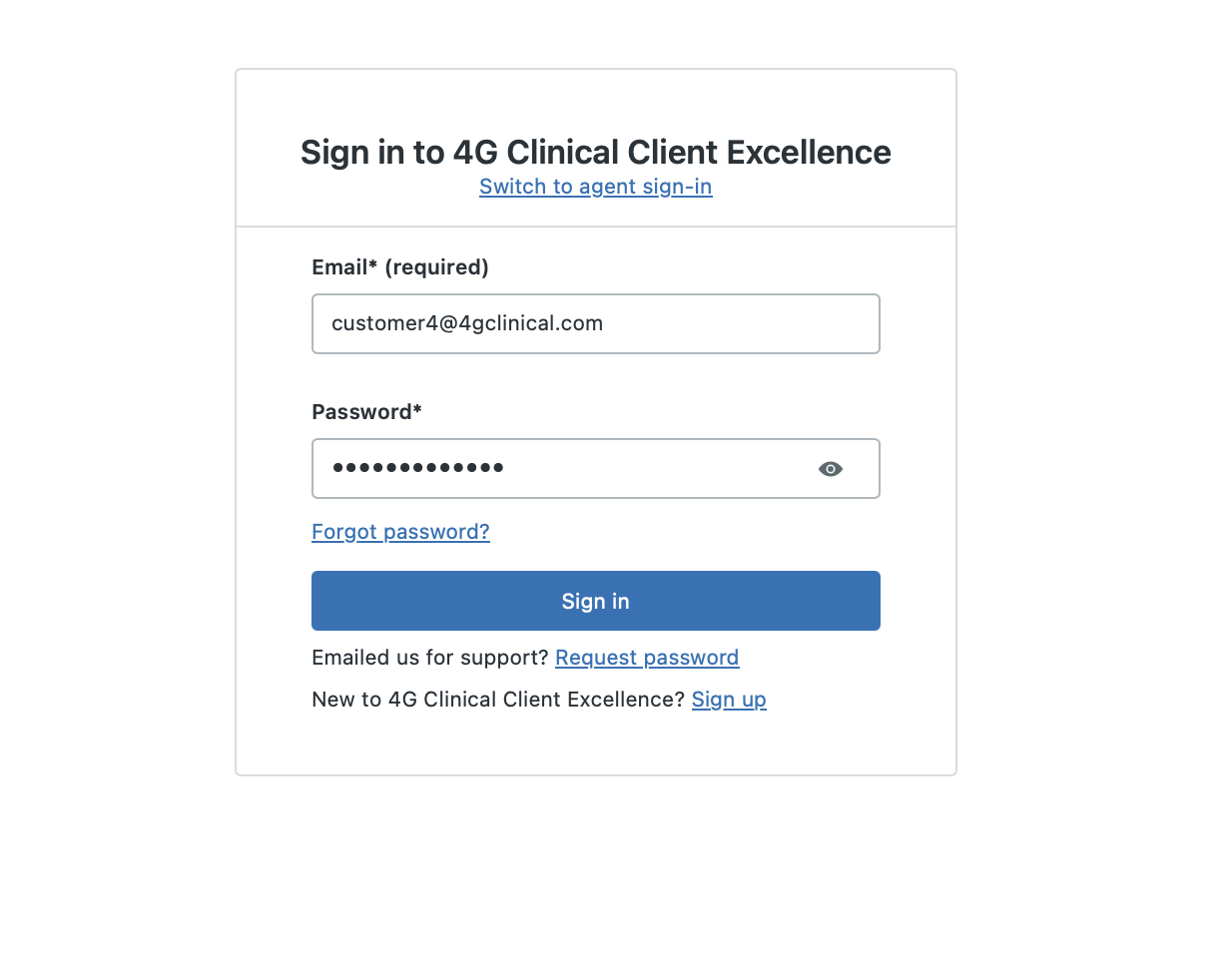
View Existing Tickets
Once successfully Signed In, click on “Go to My Activities” to access your tickets and those you are cc'd on
Or you may click "Guides for End Users" then, "My Help Center Tickets"
Signing Out of the 4G Clinical Help Center
In the top right hand corner of the support page, select your name and then select ‘Sign out’.
Trouble with your Password?
Do you Need a new password? Click ‘Sign In’ at the top right hand corner of the support page to open the Sign In page and select ‘Forgot My Password’
Enter your email for your 4G Clinical Help Center account.
Go to your inbox to locate the forgot password email sent to you by the system.
Follow the instructions in the email to reset your password.
Login in with your new password.